What to Put on Your Lock Screen: 20 Ideas Besides a Photo
You see your lock screen dozens of times a day. Here are 20 short things to write there, plus a few tips for choosing words you'll keep noticing.
Put something on your lock screen that you want to remember before you open your phone. A short intention works well, like “Be present with my family” or “One thing at a time.” So does a reminder for a moment you keep missing, a promise to yourself, or a note about someone who matters to you.
Your lock screen appears before your messages, email, and apps. For a second or two, it has your attention before anything else does. A photo you love is one good use of that space. A few words about how you want to spend your day are another.
How to choose what to write
Before you pick an idea from the list, think about when you usually pick up your phone. Then ask three questions.
- What moment do I want to change? Maybe you reach for your phone at dinner, in the first minute after waking up, or when a task feels hard.
- What do I want to remember in that moment? Choose the thought that would help you make a different choice.
- Can I read it in a second? Keep it to roughly eight words or fewer. You'll often glance at your screen for less time than it takes to read a full sentence.
If more than one idea feels important, choose one for now. A single line is easier to notice than a list.
20 lock screen ideas
Borrow any of these as they are, or change the words until they sound like you.
Words about how you want to show up
These are intentions: short statements about how you want to act. For more on writing your own, see how to set an intention.
- 01
Be present with my family.
Useful if you check your phone during meals, bedtime, or time together.
- 02
One thing at a time.
A reminder to finish what you started before you switch to the next app.
- 03
Pause before I respond.
Helpful when messages tend to make you react quickly.
- 04
Make room for myself.
For when your own needs keep ending up at the bottom of the list.
- 05
Choose the brave thing first.
For the task, call, or conversation you keep moving to tomorrow.
Reminders for a moment you keep missing
These work best when they match the reason you picked up your phone.
- 06
Why did I pick this up?
A simple question that gives you a second to decide before you start scrolling.
- 07
Drink some water first.
Pair a small action with the moment you already reach for your phone.
- 08
Phone down after 10pm.
A clear time is easier to follow than “use my phone less.”
- 09
Stand up and stretch.
For long days at a desk, when a phone check becomes your only break.
- 10
Reply later. Focus now.
For work hours when notifications keep pulling you away from a task.
Promises you've made to yourself
Write the promise in your own words. It should feel like something you chose, not something you were told to do.
- 11
My word to myself matters.
For when you keep breaking small plans you made for yourself.
- 12
Move my body to clear my mind.
A reason to take a walk when your thoughts feel stuck.
- 13
Rest is part of the work.
For when you feel guilty about stopping.
- 14
Progress, not perfect.
For projects you avoid until you feel ready.
- 15
Ask for help when I'm stuck.
For when handling everything yourself has started to cost you time.
Notes about people who matter
These can sit next to a photo of the person or stand on their own.
- 16
Call Mom on Sundays.
A specific day makes it easier to keep in touch.
- 17
Ask how their day really was.
For the partner, child, or friend you want to listen to more closely.
- 18
They're only this small once.
For parents who want to put the phone away during time with their kids.
- 19
Say the kind thing out loud.
A reminder to share the appreciation you usually keep to yourself.
- 20
Make time for us.
For a relationship that keeps getting the time left over at the end of the day.
Make it easy to read
A few small choices help your words stand out on a busy screen.
| Tip | Why it helps |
|---|---|
| Keep it short | You can read it in one glance. |
| Put it below the clock | The top of the screen holds the time and date. The bottom has the flashlight and camera buttons. |
| Use strong contrast | Light text on a dark image, or dark text on a light one. |
| Choose one message | Two ideas compete for the same second of attention. |
Your words, on a lock screen you like.
In Clarido's design studio, you can pick a template, change the background, and see how your intention will look before you set it.
Clarido sample content · Tap screen to enlarge.
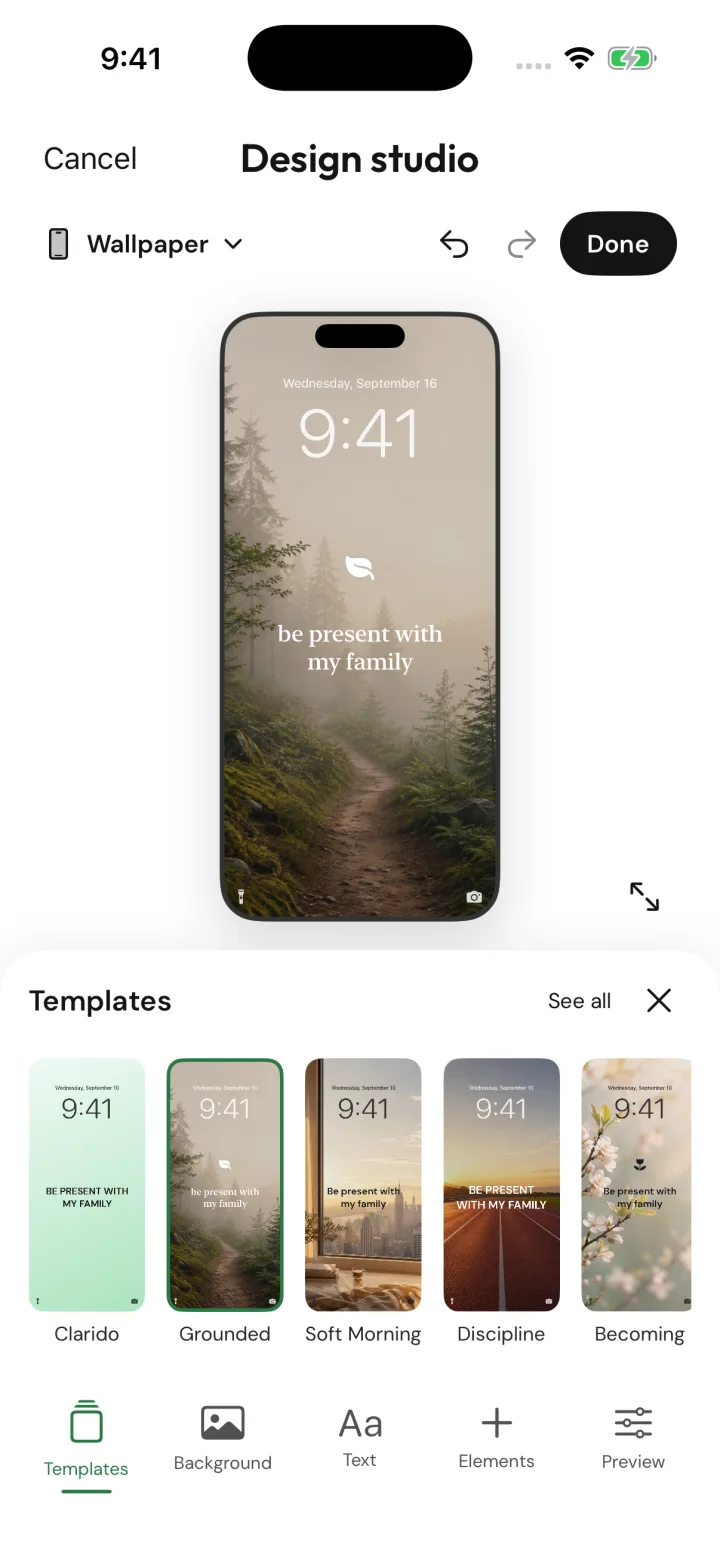
For step-by-step instructions, see how to put text on your iPhone lock screen.
When you stop noticing it
After a few weeks, familiar words can fade into the background. You might look right at your lock screen and not read it. That doesn't mean the idea was wrong.
Try one of these:
- Change the wording. “Be present with my family” could become “Phone down at dinner.” New words can make the same idea noticeable again.
- Change the design. A new background or color can make you look again.
- Check in with yourself. At the end of the day, ask whether you acted on it. If the answer keeps being no, the words may need to be more specific, or something else may be getting in the way.
- Choose something new. If your priorities have changed, your lock screen can change too.
For questions to ask at the end of the day, see five evening reflection questions.
Your lock screen with Clarido
Clarido helps you decide what to put there. You talk through what's on your mind, and the coach helps you turn it into one short intention in your own words.
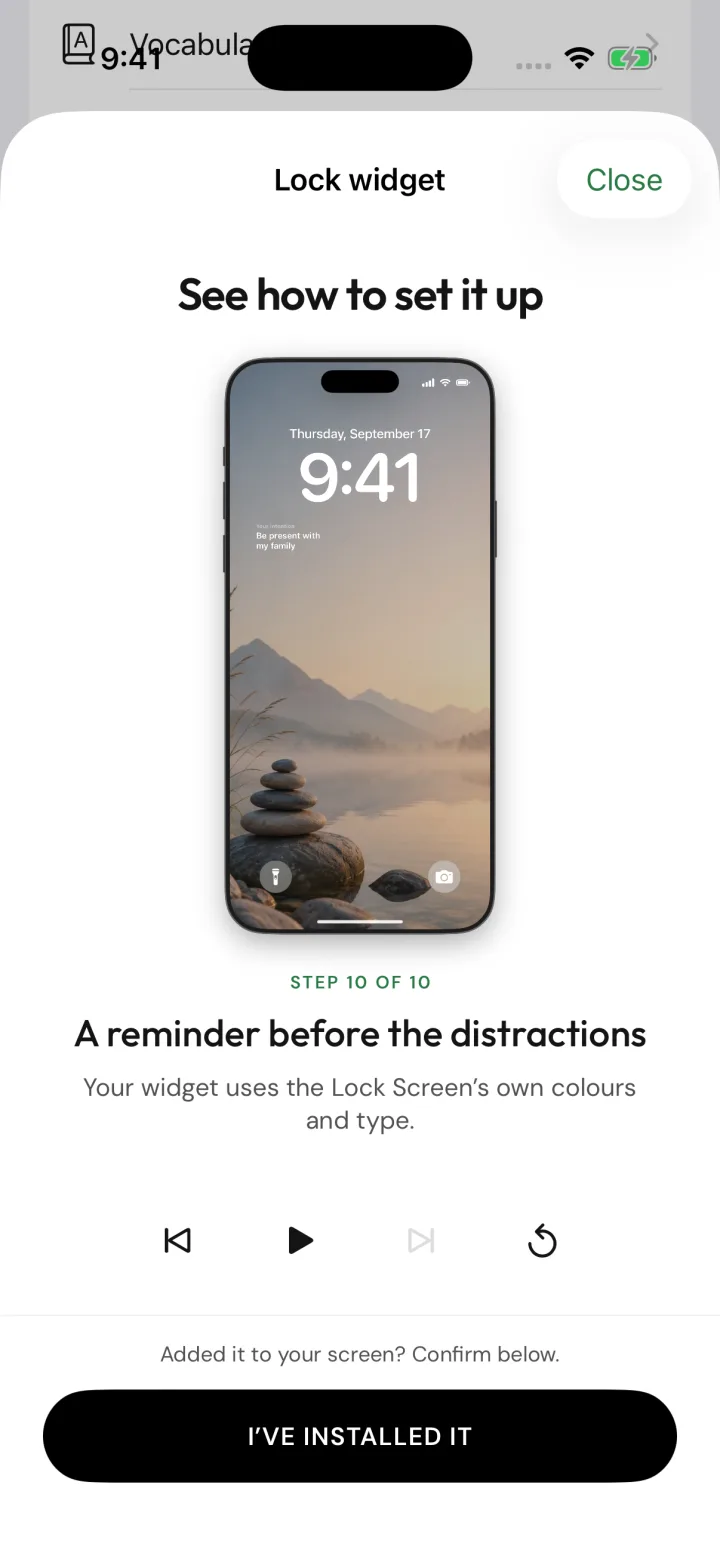
You can add that intention to your lock screen as a free widget below the clock, or design a full wallpaper with Clarido Premium. A daily check-in asks whether you showed up for it, so the words stay connected to your day instead of becoming decoration.
A reminder before your notifications.
The lock screen widget uses your lock screen's own colors and type, and it updates when you change your intention.
Clarido sample content · Tap screen to enlarge.
Get the next essay
Occasional articles on choosing what matters and returning to it. Unsubscribe anytime.